
Authentication
Homecast supports two authentication models for programmatic access.
| Model | Format | Use case | Lifetime |
|---|---|---|---|
| Access Token | hc_... | Programmatic API scripts | Until revoked or expired |
| OAuth 2.1 | Bearer token | Third-party integrations, MCP | 1 hour (refreshable) |
Both are sent the same way:
Authorization: Bearer <token>Access tokens
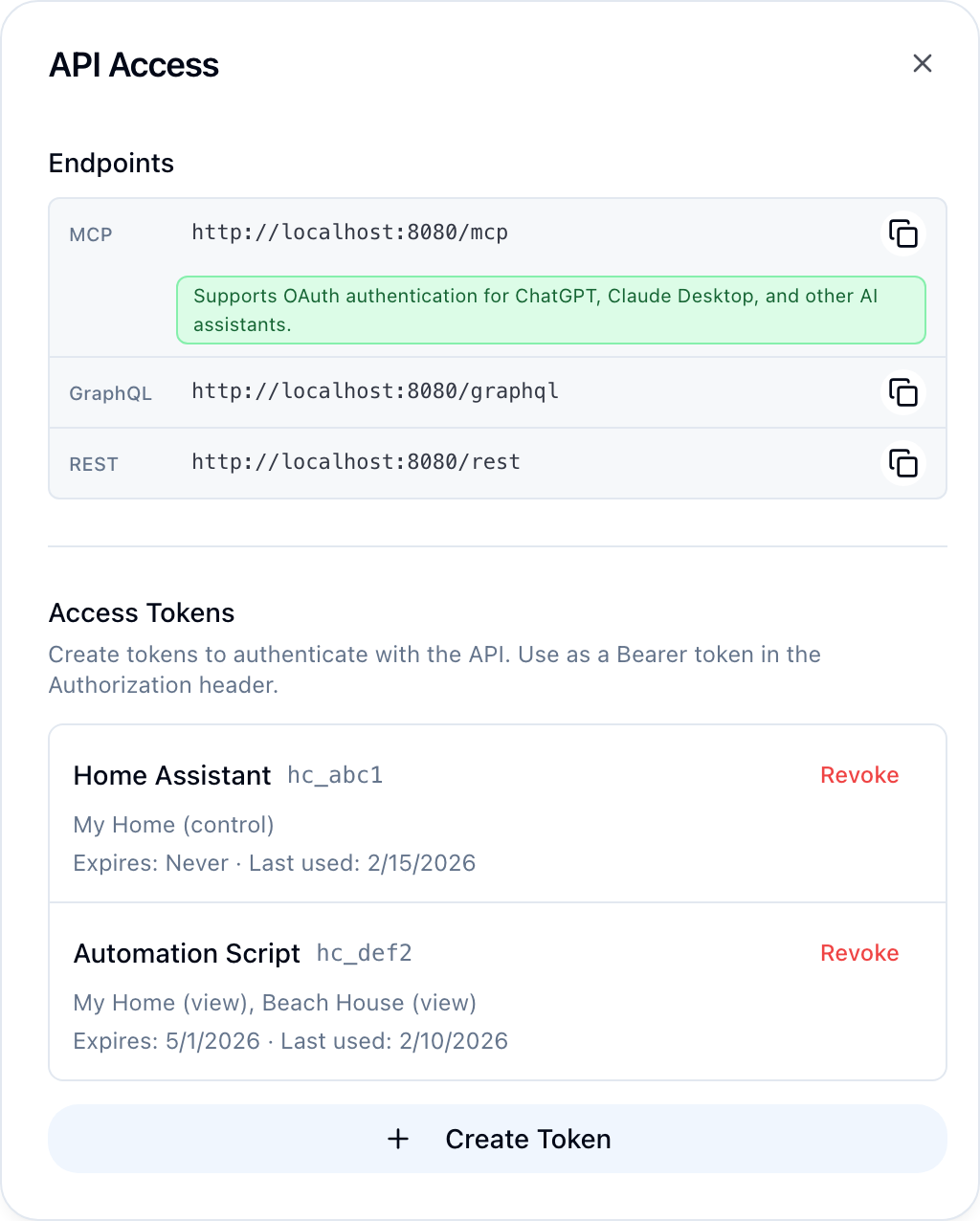
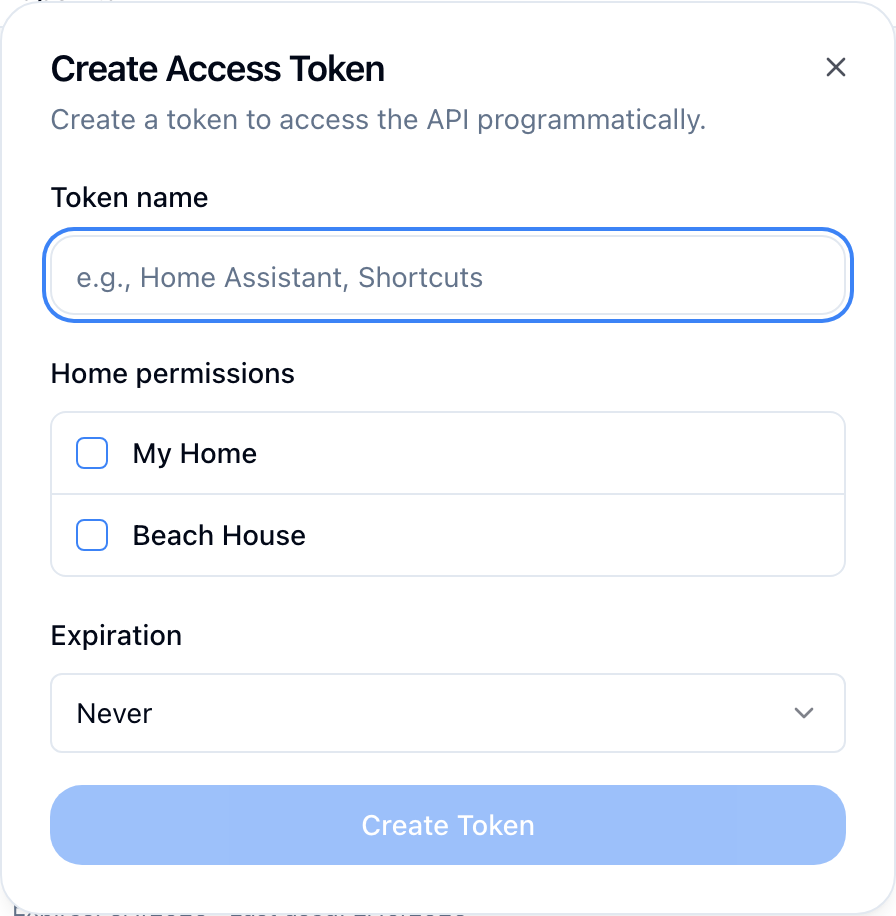
Programmatic tokens for scripts and automations. Prefixed with hc_. Enable Developer Mode in Settings → Account, then manage tokens from Settings → API Access → Manage.
Create a token
mutation {
  createAccessToken(
    name: "My Script"
    homePermissions: "{\"home-uuid\": \"control\"}"
  ) {
    success
    token
    accessToken {
      id
      name
      tokenPrefix
    }
    error
  }
}
The full token value (starting with hc_) is only returned on creation. Store it immediately.
Home permissions
The homePermissions field is a JSON string mapping home UUIDs to access levels:
{
  "550e8400-e29b-41d4-a716-446655440000": "control",
  "6ba7b810-9dad-11d1-80b4-00c04fd430c8": "view"
}| Level | Can read state | Can control devices |
|---|---|---|
control | Yes | Yes |
view | Yes | No |
If homePermissions is null or omitted, the token has full access to all homes.
Token properties
| Property | Description |
|---|---|
id | Token UUID |
name | User-defined label |
tokenPrefix | First characters of token (for identification) |
lastUsedAt | Last time the token was used |
expiresAt | Expiration date (null = never expires) |
revokedAt | Revocation date (null = active) |
createdAt | Creation timestamp |
List and revoke
# List all tokens
{ accessTokens { id name tokenPrefix lastUsedAt expiresAt createdAt } }

# Revoke a token
mutation { revokeAccessToken(tokenId: "token-uuid") { success error } }
OAuth 2.1
Full OAuth 2.1 with PKCE for third-party integrations and MCP clients.
Discovery
| Endpoint | Purpose |
|---|---|
GET /.well-known/oauth-authorization-server | Server metadata (RFC 8414) |
GET /.well-known/openid-configuration | OpenID Connect Discovery |
GET /.well-known/oauth-protected-resource | Resource metadata (RFC 8707) |
Server metadata response:
{
  "issuer": "https://api.homecast.cloud",
  "authorization_endpoint": "https://api.homecast.cloud/oauth/authorize",
  "token_endpoint": "https://api.homecast.cloud/oauth/token",
  "registration_endpoint": "https://api.homecast.cloud/oauth/register",
  "scopes_supported": ["mcp:read", "mcp:write", "mcp:admin"],
  "response_types_supported": ["code"],
  "grant_types_supported": ["authorization_code", "refresh_token"],
  "code_challenge_methods_supported": ["S256"],
  "token_endpoint_auth_methods_supported": ["none", "client_secret_post"]
}
Scopes
| Scope | Description |
|---|---|
mcp:read | Read device state |
mcp:write | Read and control devices |
mcp:admin | Full access including management |
Flow
| Step | From | To | Action |
|---|---|---|---|
| 1 | App | Homecast | POST /oauth/register |
| 2 | Homecast | App | Returns client_id |
| 3 | App | User | Redirect to /oauth/authorize |
| 4 | User | Homecast | Login + consent |
| 5 | Homecast | User | Redirect with ?code=... |
| 6 | User | App | Authorization code |
| 7 | App | Homecast | POST /oauth/token (code + PKCE verifier) |
| 8 | Homecast | App | access_token + refresh_token |
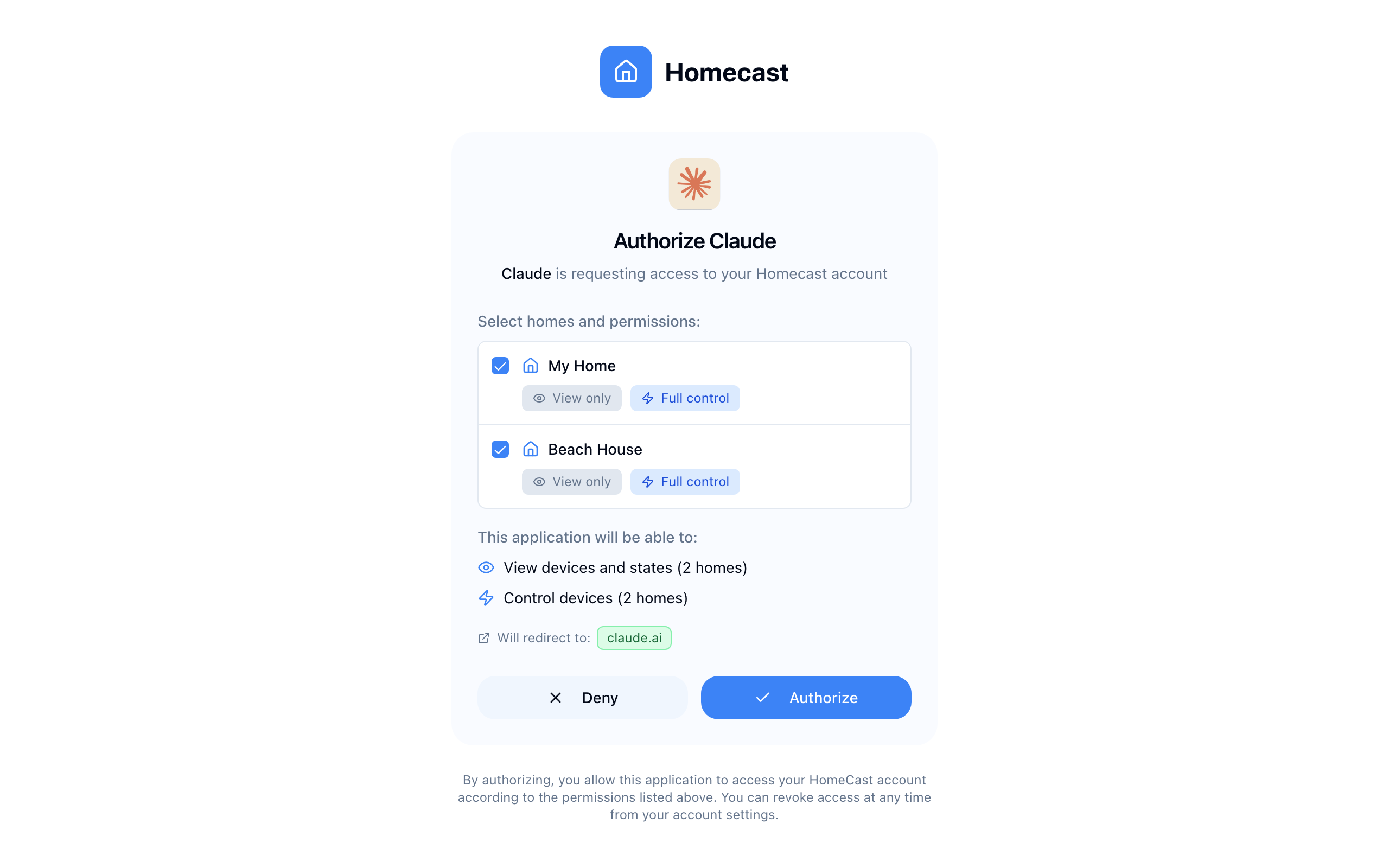
The user sees a consent screen where they choose which homes to share and the permission level:
1. Dynamic client registration
POST /oauth/register
Content-Type: application/json

{
  "redirect_uris": ["https://your-app.com/callback"],
  "client_name": "My Integration",
  "grant_types": ["authorization_code", "refresh_token"],
  "response_types": ["code"],
  "token_endpoint_auth_method": "none"
}
Response:
{
  "client_id": "generated-uuid",
  "client_secret": "generated-secret",
  "client_id_issued_at": 1708099200,
  "client_secret_expires_at": 0,
  "redirect_uris": ["https://your-app.com/callback"],
  "client_name": "My Integration",
  "grant_types": ["authorization_code", "refresh_token"],
  "response_types": ["code"],
  "token_endpoint_auth_method": "none"
}
2. Authorization request (with PKCE)
GET /oauth/authorize?
  client_id={client_id}&
  redirect_uri=https://your-app.com/callback&
  response_type=code&
  code_challenge={challenge}&
  code_challenge_method=S256&
  scope=mcp:write&
  state={random_state}
The user logs in, selects which homes to grant access to, and approves. Homecast redirects back:
https://your-app.com/callback?code={auth_code}&iss=https://api.homecast.cloud&state={random_state}3. Token exchange
POST /oauth/token
Content-Type: application/x-www-form-urlencoded

grant_type=authorization_code&
code={auth_code}&
redirect_uri=https://your-app.com/callback&
code_verifier={verifier}
Response:
{
  "access_token": "eyJ...",
  "token_type": "Bearer",
  "expires_in": 3600,
  "refresh_token": "refresh_token_value",
  "scope": "mcp:write"
}
4. Refresh
POST /oauth/token
Content-Type: application/x-www-form-urlencoded

grant_type=refresh_token&
refresh_token={refresh_token}
Returns a new access token and a rotated refresh token.
Token lifetimes
| Token | Lifetime |
|---|---|
| Authorization code | 10 minutes |
| Access token | 1 hour |
| Refresh token | 30 days |
Refresh tokens use rotation — each refresh returns a new refresh token and invalidates the old one.
Managing authorized apps
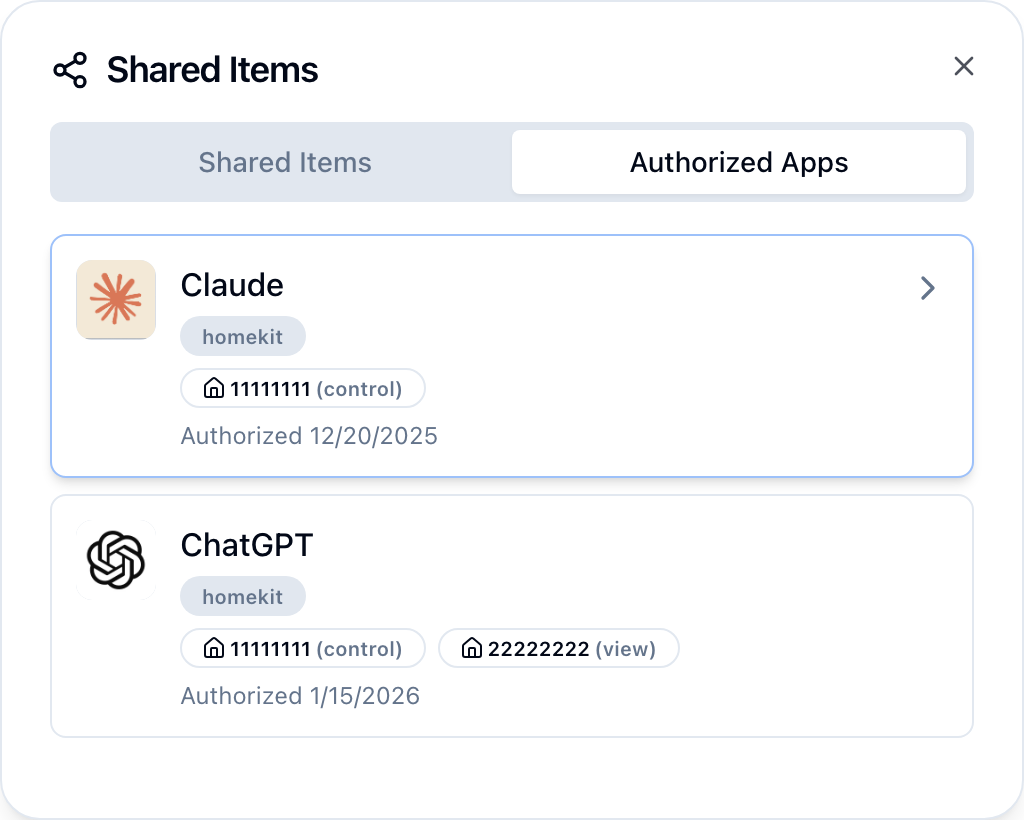
View and revoke authorized apps from Settings → Shared Items → Authorized Apps in the dashboard.
# List apps with OAuth access
{ authorizedApps { clientId clientName scope createdAt } }

# Revoke an app's access
mutation { revokeAuthorizedApp(clientId: "client-uuid") { success error } }
Error responses
| Status | Body | Meaning |
|---|---|---|
| 401 | {"error": "invalid_token"} | Token is expired, revoked, or malformed |
| 403 | {"error": "insufficient_permissions"} | Token doesn't have access to the requested home or action |
| 401 | {"error": "invalid_client"} | OAuth client credentials are invalid |
| 400 | {"error": "invalid_grant"} | Authorization code or refresh token is invalid/expired |