
Share Links
Share specific entities (devices, rooms, collections) via link. Supports public, passcode-protected, and user-specific access. Create and manage shares from the dashboard by right-clicking a home, room, or collection → Share.
Permissions: Only home owners and admins can create and manage share links. Members with control or view roles do not have access to sharing features.
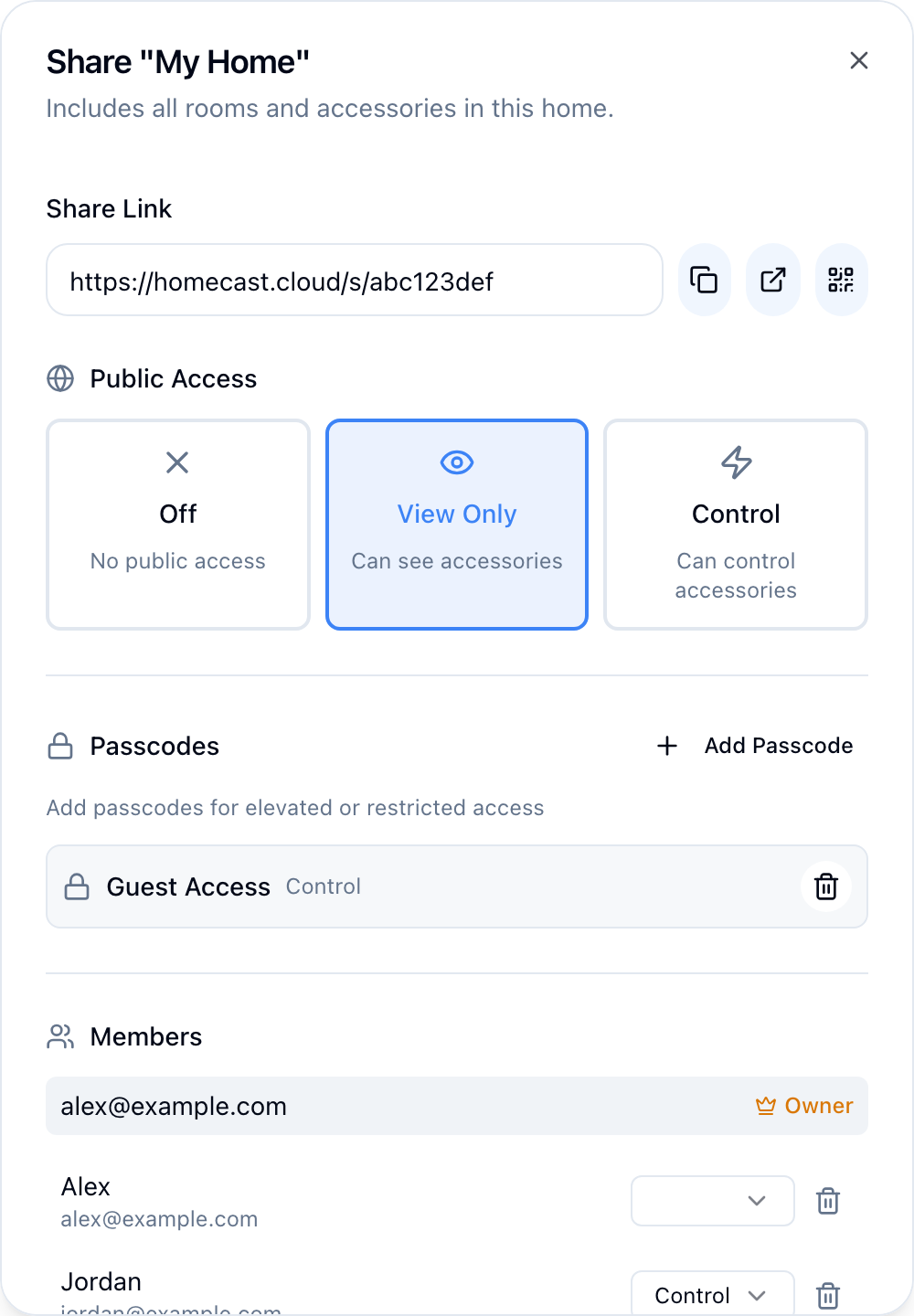
Entity types
| Type | Description |
|---|---|
accessory | Single device |
accessory_group | Group of devices |
room | All devices in a room |
room_group | Multiple rooms |
collection | Custom device grouping |
collection_group | Multiple collections |
home | Entire home |
group | Generic group |
Access types
| Type | Description |
|---|---|
public | Anyone with the link can access |
passcode | Requires a passcode to access |
user | Only the specified Homecast user can access |
Access roles
| Role | Permissions |
|---|---|
view | Read-only — see device state |
control | Read and write — toggle, adjust, execute |
Create a share
# Public share with view access
mutation {
  createEntityAccess(
    entityType: "room"
    entityId: "room-uuid"
    accessType: "public"
    role: "view"
    homeId: "home-uuid"
  ) {
    success
    entityAccess { id }
    shareHash
    shareUrl
  }
}

# Passcode-protected share with control access
mutation {
  createEntityAccess(
    entityType: "accessory"
    entityId: "acc-uuid"
    accessType: "passcode"
    passcode: "1234"
    role: "control"
    homeId: "home-uuid"
    name: "Guest Access"
  ) {
    success
    shareHash
    shareUrl
  }
}

# User-specific share
mutation {
  createEntityAccess(
    entityType: "collection"
    entityId: "coll-uuid"
    accessType: "user"
    userEmail: "friend@example.com"
    role: "control"
    homeId: "home-uuid"
  ) {
    success
  }
}
Share URLs
Share links follow the format: https://homecast.cloud/s/{hash}
The hash encodes the entity type, entity ID, and an HMAC signature. Users visiting the link see a read-only or interactive view depending on the role.
Share state endpoint
Read the current state of all accessories in a share. Works with any role (view or control).
| Path | Method | Description |
|---|---|---|
/s/{hash} | GET | Returns current accessory state as JSON |
Query parameters:
| Parameter | Description |
|---|---|
passcode | Required for passcode-protected shares |
accessory | Filter to a specific accessory by ID prefix |
Example:
curl https://api.homecast.cloud/s/{hash}Response:
{
  "success": true,
  "entity_type": "room",
  "role": "view",
  "accessories": [
    {
      "id": "...",
      "name": "Living Room Light",
      "reachable": true,
      "room": "Living Room",
      "services": [
        {
          "serviceType": "lightbulb",
          "characteristics": [
            { "characteristicType": "on", "value": true, "isWritable": true },
            { "characteristicType": "brightness", "value": 75, "isWritable": true }
          ]
        }
      ]
    }
  ]
}
Share control endpoints
For control role shares, devices can be controlled via simple URL paths:
| Path | Description |
|---|---|
/s/{hash}/on | Turn on |
/s/{hash}/off | Turn off |
/s/{hash}/toggle | Toggle power state |
/s/{hash}/lock | Lock |
/s/{hash}/unlock | Unlock |
/s/{hash}/brightness/{value} | Set brightness (0–100) |
/s/{hash}/hue/{value} | Set hue (0–360) |
/s/{hash}/saturation/{value} | Set saturation (0–100) |
/s/{hash}/temp/{value} | Set color temperature |
/s/{hash}/position/{value} | Set position (0–100) |
/s/{hash}/color/{hue}/{saturation} | Set color |
These endpoints accept both GET and POST requests.
Access schedules
Entity access supports time-based schedules via the accessSchedule field (JSON string). This allows temporary or recurring access windows.
Manage shares
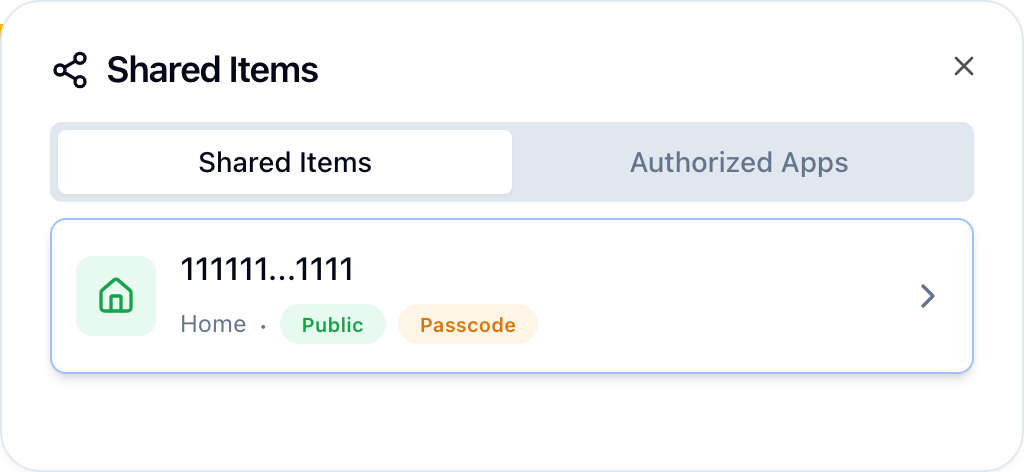
View all shared items from Settings → Shared Items → Manage.
# List shares for an entity
{ entityAccess(entityType: "room", entityId: "room-uuid") {
    id accessType role name userEmail hasPasscode createdAt
} }

# Get sharing summary
{ sharingInfo(entityType: "room", entityId: "room-uuid") {
    isShared hasPublic publicRole passcodeCount userCount shareHash shareUrl
} }

# Update a share
mutation { updateEntityAccess(accessId: "access-uuid", role: "view") { success } }

# Delete a share
mutation { deleteEntityAccess(accessId: "access-uuid") { success } }

# List all entities I've shared
{ mySharedEntities { id entityType entityId accessType role createdAt } }
Public entity access (no auth required)
# View shared entity
{ publicEntity(shareHash: "abc123", passcode: "1234") {
    entityType entityId entityName homeName accessories { id name }
} }

# Get full accessory data
{ publicEntityAccessories(shareHash: "abc123") {
    id name services { type characteristics { type value } }
} }

# Control a device via shared access
mutation {
  publicEntitySetCharacteristic(
    shareHash: "abc123"
    accessoryId: "acc-uuid"
    characteristicType: "on"
    value: true
  ) {
    success
  }
}