
Control Your Home Remotely
Homecast lets you control your Apple Home devices from any browser, phone, or API — wherever you are. A Mac app on your home network acts as a bridge between Apple Home and the cloud.
New to Homecast?
Start with Set Up Your Relay for the step-by-step setup guide.
How it works
HomeKit-compatible lights, locks, thermostats, sensors, and more on your home network.
Required only if the Relay is running outside of your home network. An Apple TV or HomePod bridges your devices to iCloud.
Runs on your Mac (or cloud-managed). Bridges Apple Home to the cloud with a persistent connection.
Authenticates requests, routes commands to your relay, and pushes updates to all clients.
Web dashboard, mobile app, REST/GraphQL API, AI assistants via MCP, webhooks.
Relay options
Self-Hosted Relay
Run on your own Mac
- You have a Mac that is always on (e.g. a Mac mini)
Cloud Managed Relay
We run it for you
- You don't have a Mac available running 24/7
- Apple Home Hub required
For detailed setup instructions, see the Cloud Managed Setup Guide.
Supported devices
| Device | Controls |
|---|---|
| Lightbulb | On/off, brightness, color (hue/saturation), color temperature |
| Switch / Outlet | On/off |
| Thermostat | Mode (off/heat/cool/auto), target temperature |
| Lock | Lock / unlock |
| Fan | On/off, speed |
| Window covering | Position (0–100%), tilt |
| Garage door | Open / close |
| Security system | Arm mode (stay/away/night/off) |
| Speaker | Volume, mute |
More device types
| Device | Controls |
|---|---|
| Air purifier | On/off, mode, speed |
| Humidifier | On/off, target humidity |
| Valve / Irrigation | Open / close |
| Doorbell | Status indicator |
| Sensors (motion, contact, temperature, humidity, air quality, leak) | Read-only state |
| Camera | Status indicator |
Scenes and service groups
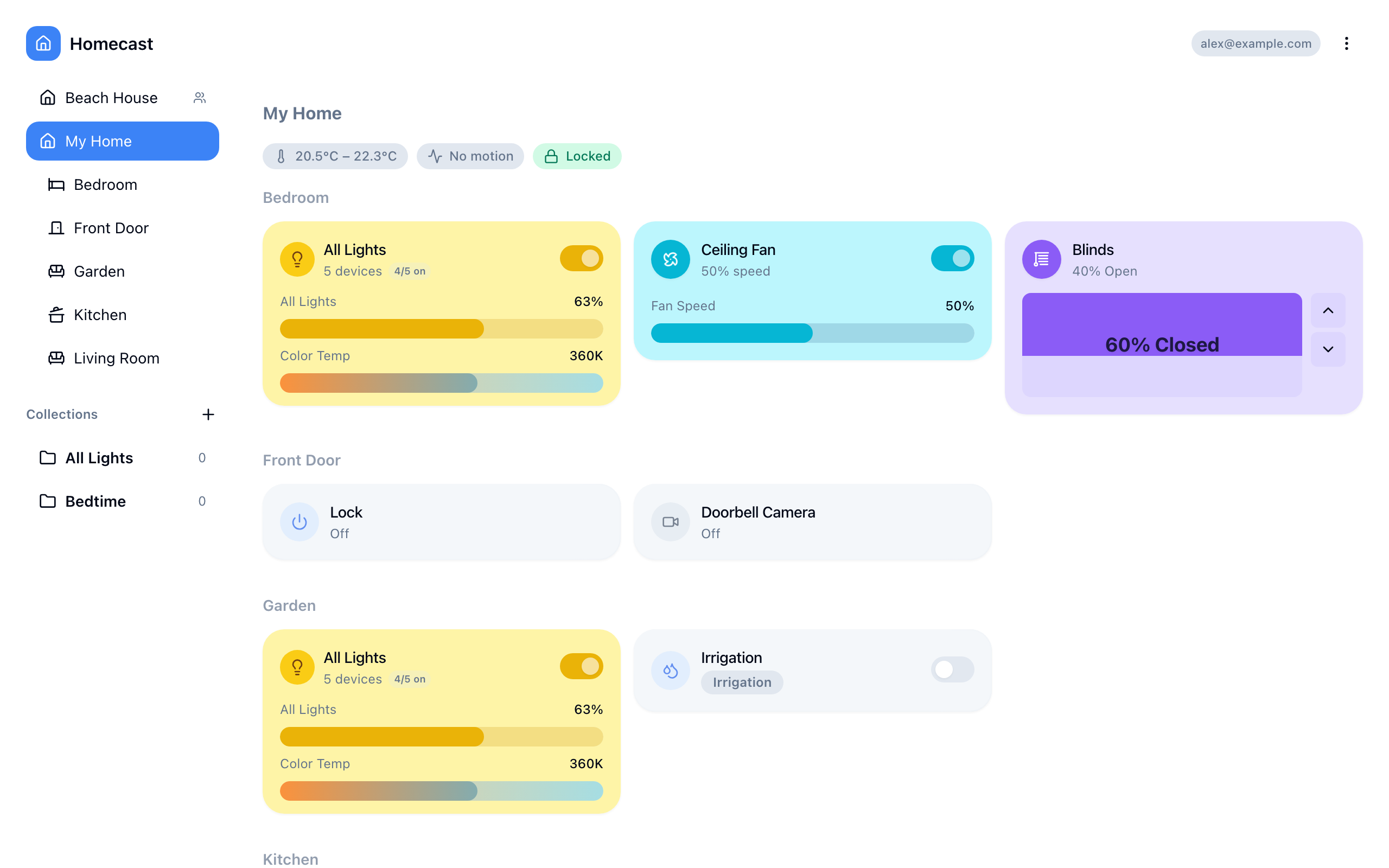
Scenes are predefined in Apple Home (e.g., "Good Morning", "Good Night"). Execute them from the dashboard or via API to trigger multiple devices at once.
Service groups let you control all devices in a HomeKit service group with a single action — for example, setting all living room lights to 50% brightness.
Ways to control
| Method | Best for |
|---|---|
| Web dashboard | Day-to-day control from any browser |
| Mobile app | Quick control from your phone |
| Menu bar | Fast toggles without opening a browser (Mac) |
| Share links | Give others access to specific devices |
For developers
Homecast also offers REST, GraphQL, webhook, and AI assistant APIs for programmatic control. See Automation Scripts.
Free plan
The free plan includes up to 10 accessories with all features (collections, sharing, API, webhooks, AI) and Smart Deals — personalised deal badges on your widgets for compatible devices. Service groups count as a single accessory regardless of how many devices they contain. Upgrade to Standard for unlimited accessories and the option to disable Smart Deals. See Account & Settings.
Troubleshooting
| Symptom | Fix |
|---|---|
| Devices don't load | Check relay status — Relay Offline |
| Changes don't take effect | Check if the device works in Apple Home first |
| "Relay unavailable" error | Mac is asleep or offline |
| Slow updates | Ensure Mac has a stable internet connection |
For more help, see Common Issues.